The problem
High applicant volume, few qualified fits
With ReferYes
Candidates are referred by sourcers who know the field and explain why each one fits the role.
Post a role. Independent recruiters and industry professionals refer qualified candidates they sourced, matched to your role by AI.
Free to post a role. Pay per lead, or only when you hire.
Why ReferYes
The problem
With ReferYes
Candidates are referred by sourcers who know the field and explain why each one fits the role.
The problem
With ReferYes
AI matches each role to the sourcers most likely to fill it, and a sourcing agent searches for leads every day.
The problem
With ReferYes
Every lead is screened by a sourcer, matched to your role and confirmed interested before it reaches your pipeline.
How it works
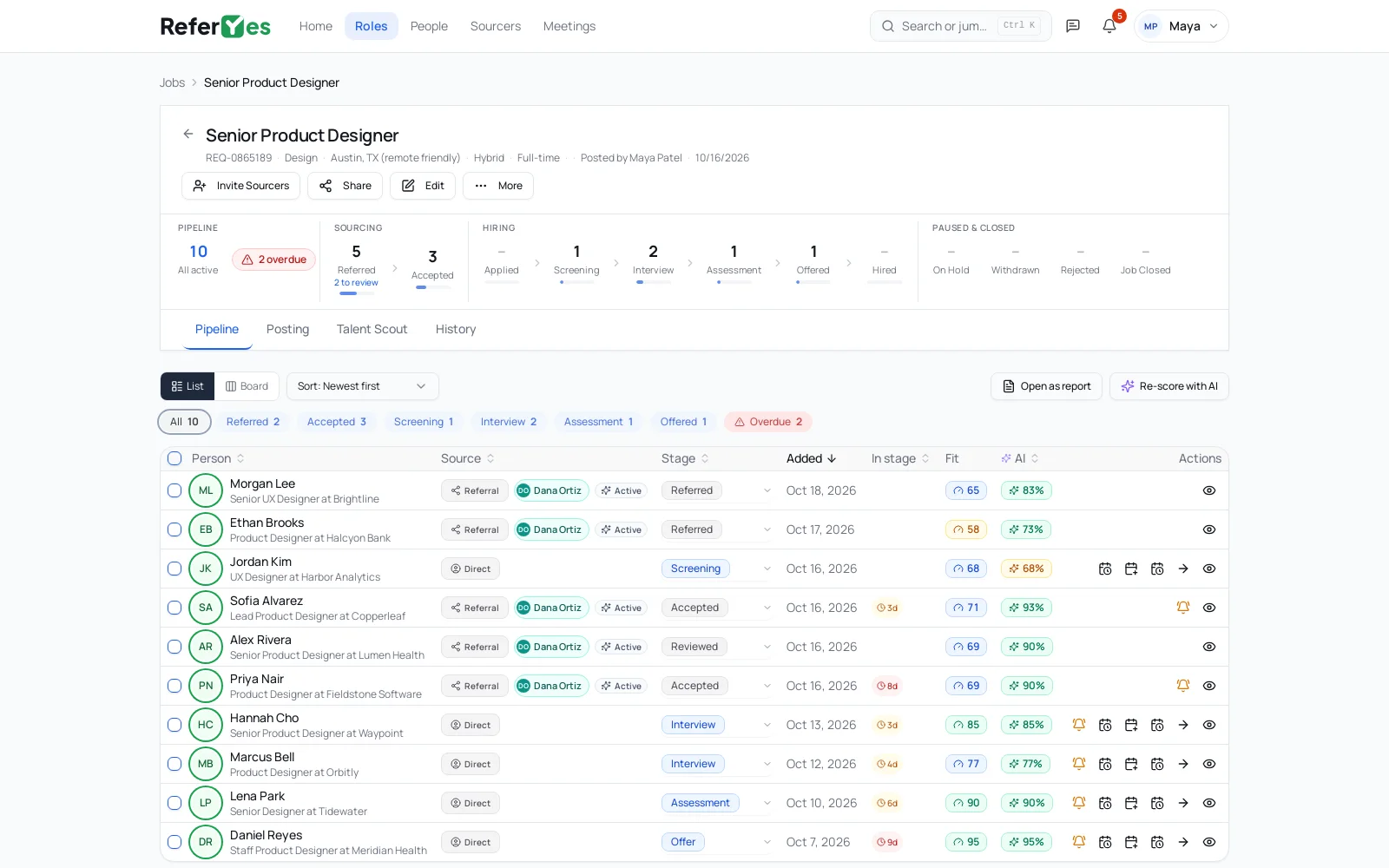
A hiring team posts the role. Sourcers find and screen candidates for it. ReferYes keeps every step after that in one place.
New requisition
For hiring teams
Answers to the questions hiring teams ask most.
See all FAQsAn independent recruiter, agency owner or industry professional who refers qualified candidates. ReferYes AI matches sourcers to your role on specialty, industry and track record, and you choose who to invite.
Each referral includes the sourcer’s notes on fit, an AI match score against your role, and the sourcer’s track record of referrals and hires.
A few minutes. Write it, or paste a link to the posting on your careers site and ReferYes fills in the details for you to review.
Yes. Bring a role in from its posting link, and pull the candidates in your ReferYes pipeline into Workday, Greenhouse, Lever or any other ATS through a read-only API, with their stage and who referred them. It runs one way: ReferYes never writes to your ATS.
Bring a role in from its posting link, and pull the candidates in your ReferYes pipeline into your ATS with a read-only API. It runs one way: ReferYes never writes to your ATS. API docs
For sourcers
Hiring teams post the roles. You choose the ones you can fill and refer candidates from your network. No client development, no contracts to negotiate.
More about sourcing and sourcer FAQsUpload a resume and the prospect's details fill in for you. Track every referral to hire.
Message the team, book calls on your own hours and see stage updates as they happen.
Your referrals and hires show next to every candidate you send. Each referral stays credited to you for 12 months.
A hiring manager can ask you to work a role exclusively, so no other sourcer competes for it. You see the offer by email and in My Work, and nothing changes until you accept. Managers pick based on your specialties and your track record of referrals and hires.
You’re the only sourcer who can refer candidates to the role.
You’re the only one referring, and you run the role’s pipeline: schedule interviews, move candidates through to final interviews and close out the ones who aren’t a fit. The hiring team handles the offer stage and the hire.
The ReferYes extension adds a panel to LinkedIn profiles, so you can check, save and submit candidates for your roles from the page you're already on.
It never sends LinkedIn messages or connection requests for you, and never looks up emails or phone numbers.
A banner on each LinkedIn profile shows whether the person is free to source for your role or already claimed by another sourcer.
Save profiles to roles in My Work, keep a private note and mark who you've contacted.
Answer the role's must-haves in the panel; the candidate gets a consent request before the hiring team sees their details.
“I like the interface of ReferYes. It is really easy to use and produces results quickly.”
“I have been using ReferYes Sourcer for a long time and I am getting really good results with this tool!”
Looking for work? Browse and apply directly, or ask a sourcer to refer you.
Essential cookies keep you signed in; optional analytics (ours and Google Analytics) help us improve. Privacy